Install Stackwise on your Home Screen
Takes about 20 seconds on iPhone. Once installed, Stackwise opens full-screen with its own icon — just like a native app.
- 1
Open the Safari menu
In Safari, tap the ••• (more) button on the bottom bar while you're on my-stack-wise.com.
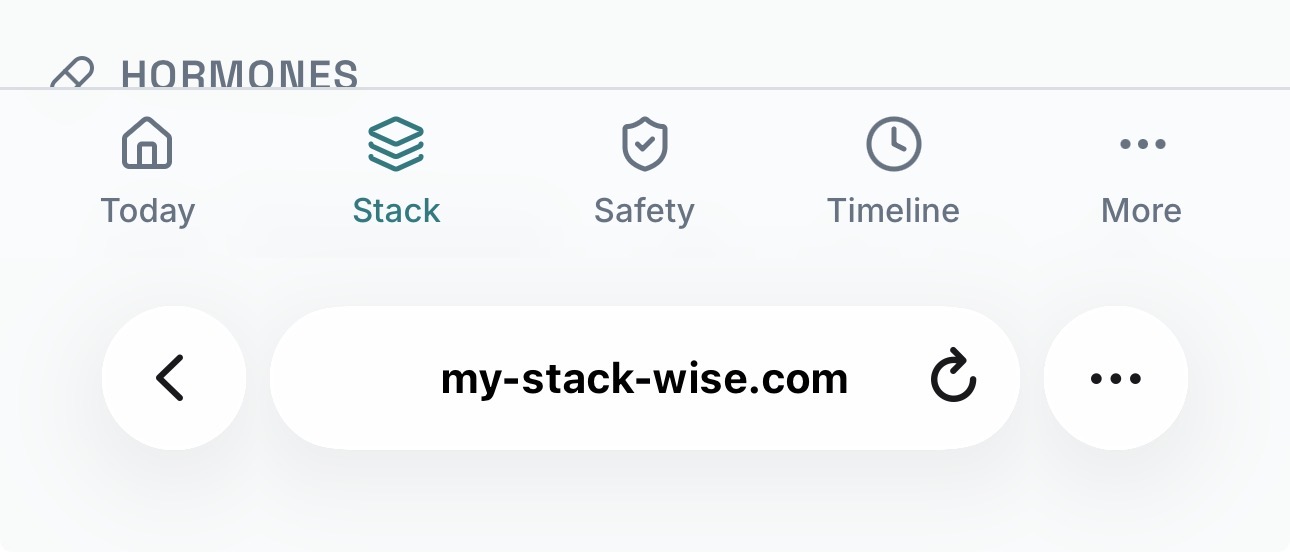 Tap here
 - 2
Tap Share
In the menu that appears, tap the Share icon at the top.
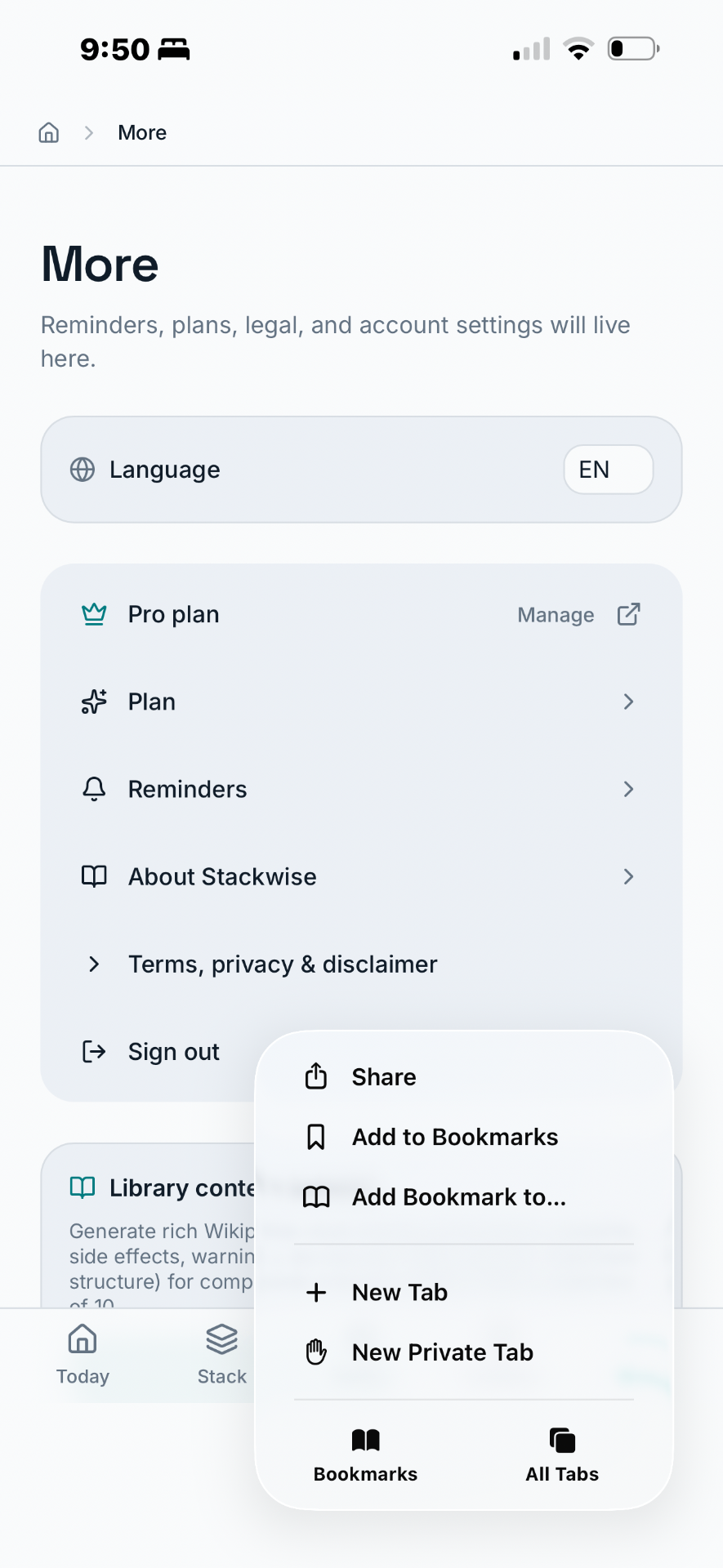 Tap Share
 - 3
Add to Home Screen
Scroll down in the share sheet and tap Add to Home Screen. Confirm the name Stackwise and tap Add.
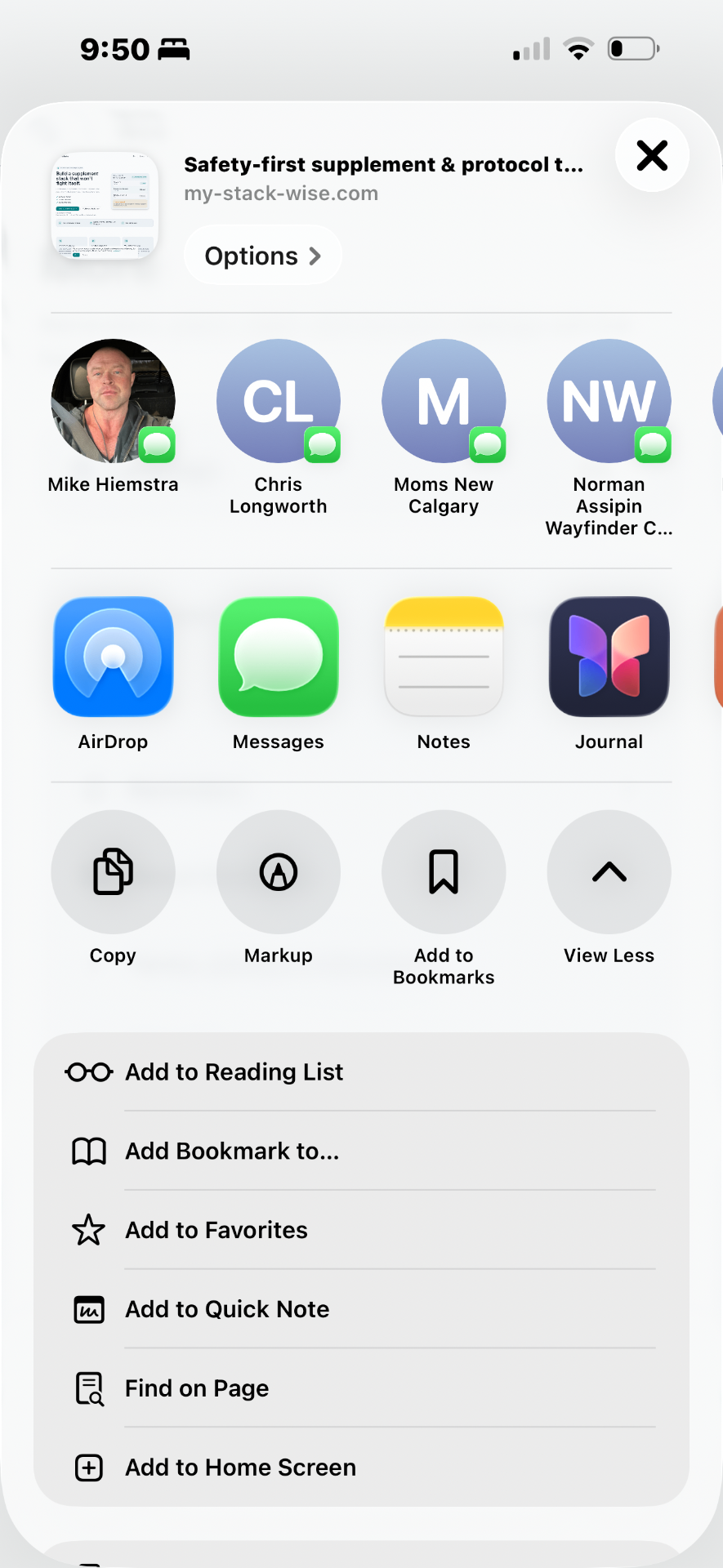 Add to Home Screen
 - 4
Done — Stackwise is installed
You'll now see the Stackwise icon on your home screen. Tap it to launch — it opens full-screen, just like a native app.
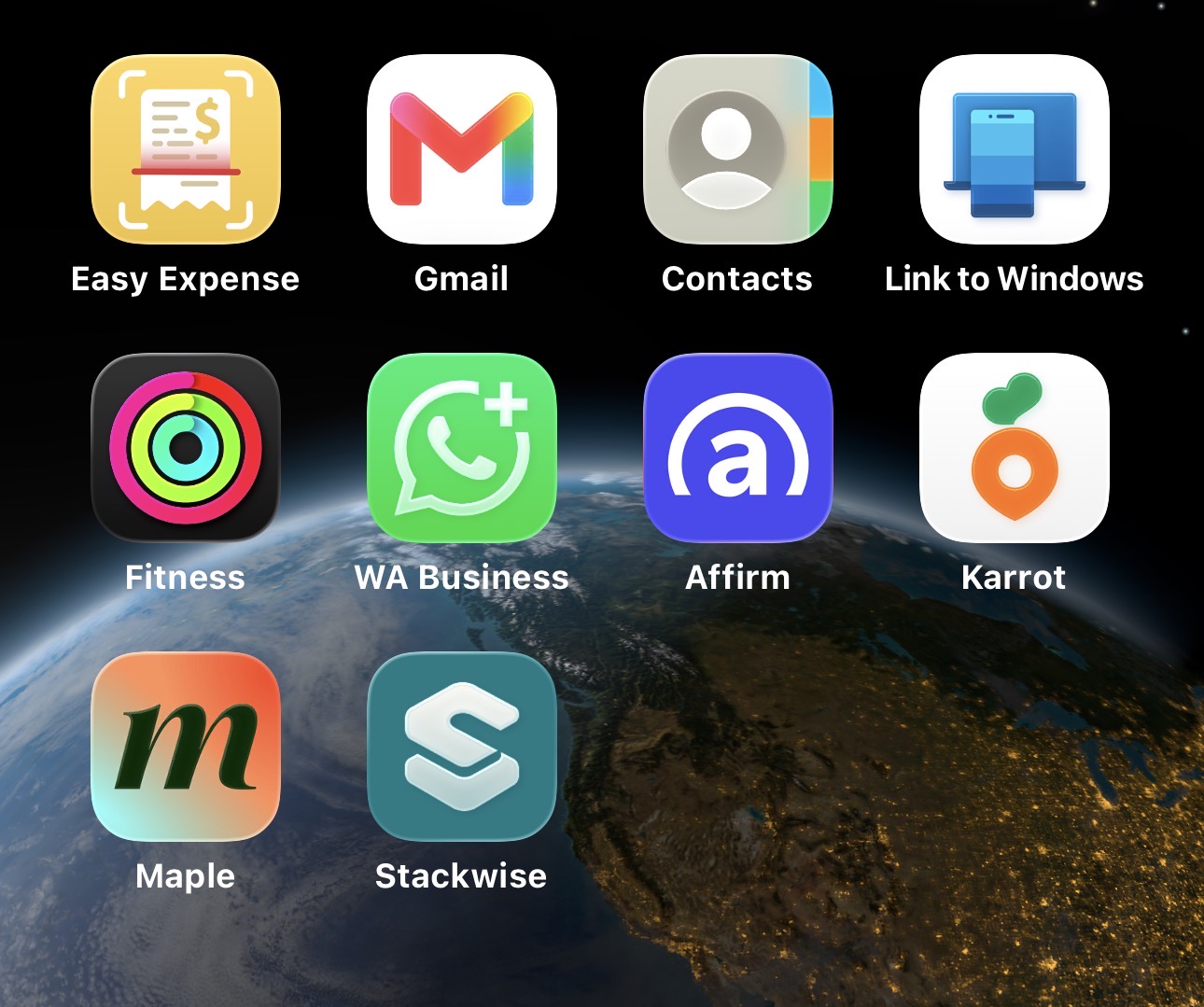 Tap to open
On Android (Chrome)
- Open my-stack-wise.com in Chrome.
- Tap the ⋮ menu in the top right.
- Tap Add to Home screen (or Install app).
- Confirm — the Stackwise icon appears on your home screen.
Trouble installing? Email support@my-stack-wise.com.